280 ST-SDK Software Release Packages
Release Packages Overview
The 280 ST-SDK includes three distinct software packages, each designed to support different stages of development and integration for the 280 Instrument Displays platform:
Package Name |
Description |
Image |
|---|---|---|
280_st_sdk_blank |
A minimal starter TouchGFX blank project featuring a white screen. This package provides a clean foundation for customers to build and customize their own graphical applications using TouchGFX. |
|
280_st_sdk_demo |
Demonstration project showcasing a functional UI and representative of a customized application for Industrial, Agricultural, Off-Highway or Construction Digital Gauge using TouchGFX |
|
280_st_sdk_integration |
Integration project designed to help developers validate key peripherals and streamline system integration. It includes modules for hardware testing and interaction, serving as a reference for verifying functionality and accelerating development workflows using TouchGFX. |
|
280_qt_sdk |
A minimal starter Qt blank project featuring a white screen. This package provides a clean foundation for customers to build and customize their own graphical applications using Qt for MCU. |
|
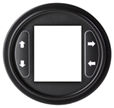
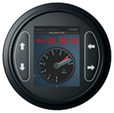
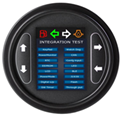
Note: All packages come as 7z compressed file ready to be decompressed and loaded into a STM32CubeIDE workspace.
After extracting the 280 SDK release package you will see the following folder structure. This folder structure is common across release packages, and it includes all the source code, libraries and configurations required to build a 280 Instrument Display application using the 280 ST-SDK. The most significant difference between the blank, demo, and integration packages is contained within the TouchGFX directory, and is related to the customization of the GUI.
280 ST-SDK Directory structure:
280_st_sdk_xxx
¦     +---Core
¦     +---Drivers
¦     +---Middlewares
¦     +---tools
¦     +---TouchGFX
¦     +---user_modify_files
280 Qt-SDK Directory structure:
280_st_sdk_xxx
¦     +---Core
¦     +---Drivers
¦     +---Middlewares
¦     +---QtMCUs
¦     +---tools
¦     +---user_modify_files
280 ST-SDK Blank
The 280_st_sdk_blank project is a blank template designed to provide a convenient starting point for users of the 280 ST-SDK. It enables developers to begin application development from a clean slate, specifically targeting the 280 Instrument Displays.
This template is ideal for creating custom applications without predefined logic or UI elements, offering full flexibility for tailored development.
280 ST-SDK Demo
The 280_st_sdk_demo is a fully graphical, pre-built project that leverages the complete functionality of the 280 ST-SDK running on the 280 Instrument Displays. This application serves as an integrated example, demonstrating communication with various modules in the SDK through a single UI screen using the CAN protocol, which can be configured as either J1939 or CANOpen.
Key Features
Large Central Gauge
CAN protocol support (J1939 or CANOpen)
Single-screen interaction model
Tell Tales
This project is intended as a reference implementation for users developing integrated applications tailored to their specific requirements.
280 ST-SDK Integration
The 280_st_sdk_integration project is a semi-graphical, pre-built application that showcases each module available in the 280 Instrument Displays. It serves as a comprehensive reference for exploring the full functionality of the 280 ST-SDK.
This sample application includes standalone screens for each SDK module, providing detailed insights into:
Available features per module
Interaction methods and supported protocols
Sample usage scenarios
Each screen details the possible ways to interact with the respective module. This makes it an ideal reference for developers aiming to understand and utilize individual SDK components effectively.
Use Case
This project is especially useful for:
Developers new to the 280 ST-SDK
Teams building modular applications
Engineers seeking sample implementations for specific hardware modules
280 Qt-SDK
The 280_qt_sdk project is a blank template designed to provide a convenient starting point for users of the 280 Qt-SDK. It enables developers to begin application development from a clean slate, specifically targeting the 280 Instrument Displays using Qt Creator alogn with Qt for MCU.